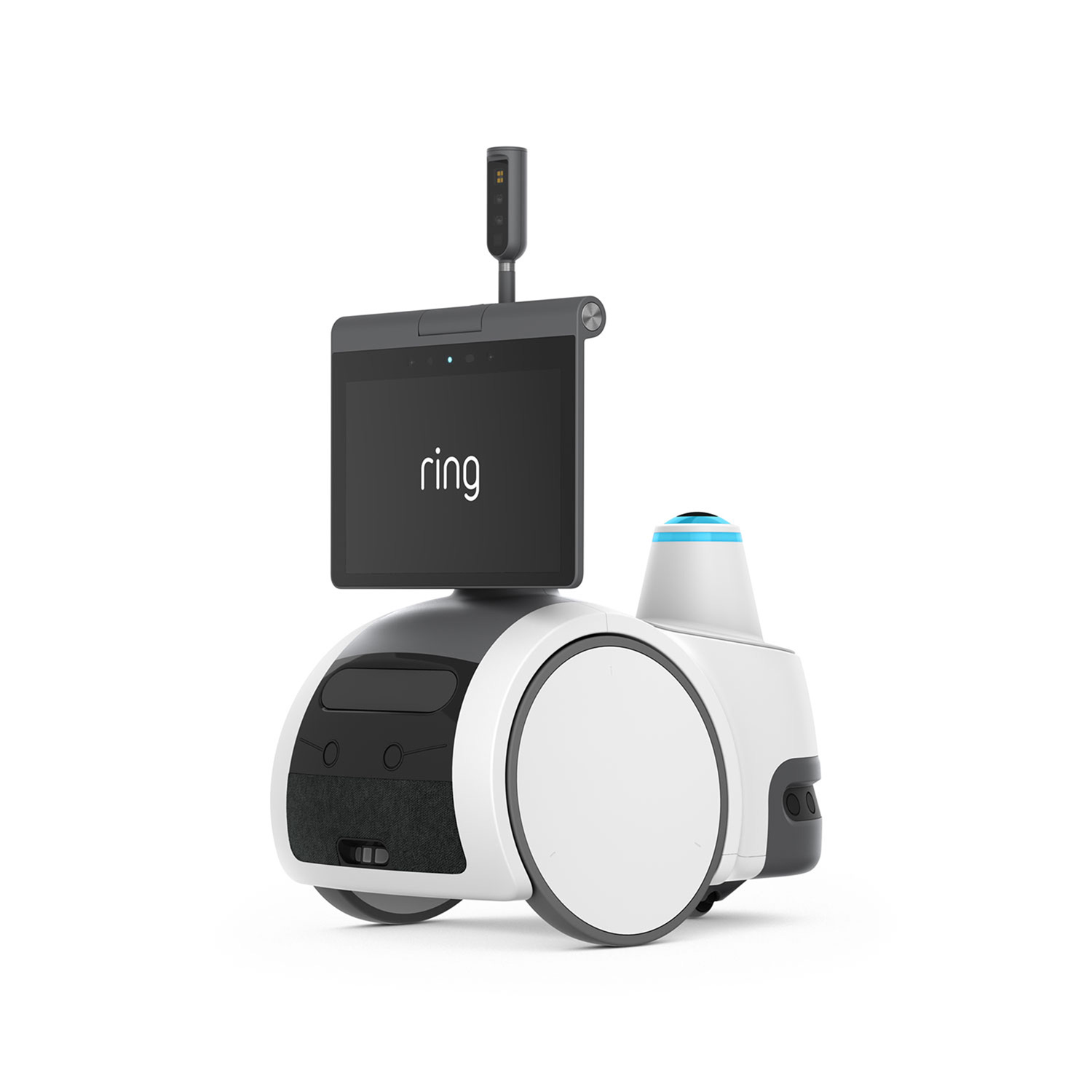
Rover Cam - White wheeled home rover with a screen displaying “Ring,” a small upright camera, and a blue-lit sensor, shown on a white background.
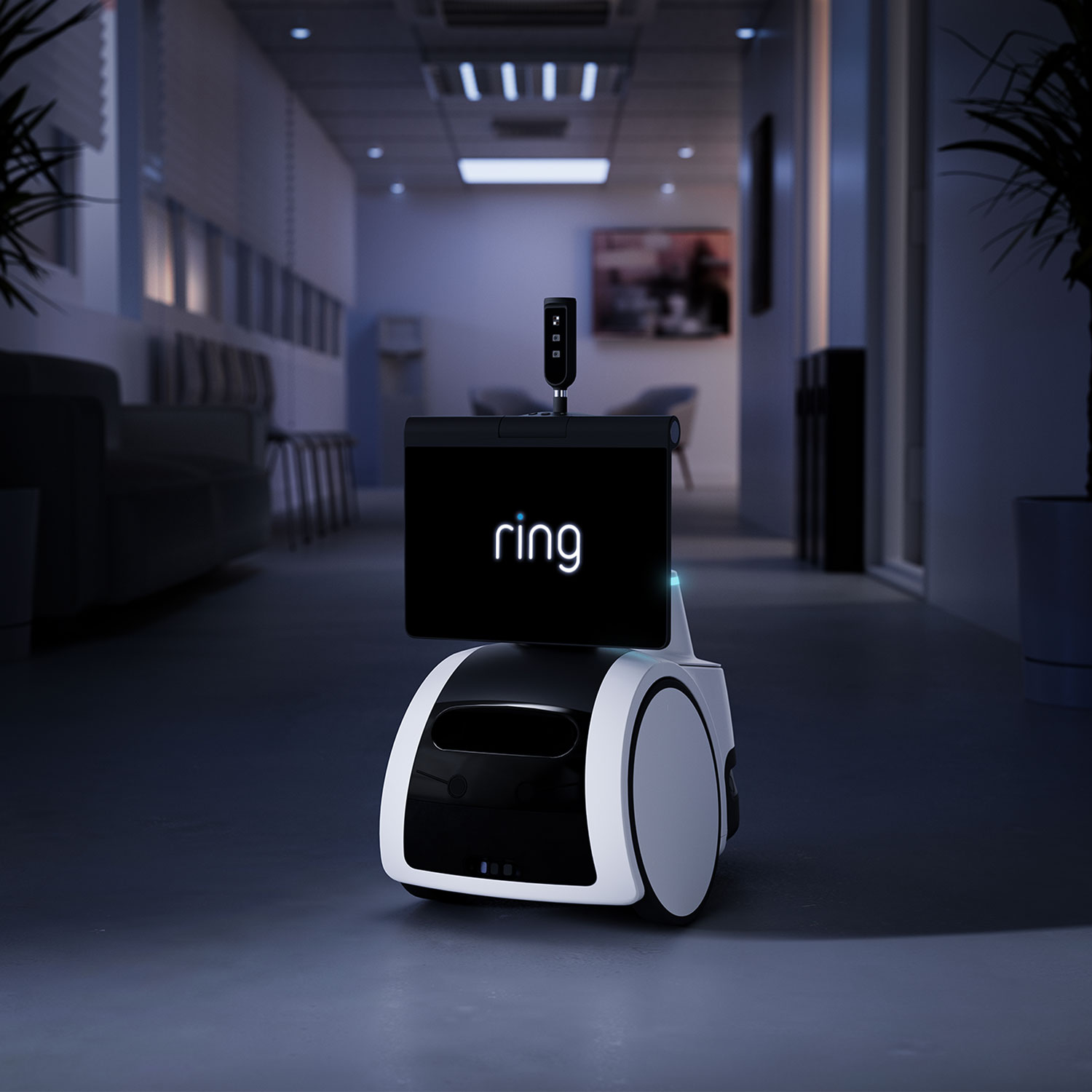
Rover Cam - Small wheeled Ring Rover with a screen displaying “ring” moves through a dim modern office hallway with chairs and plants.
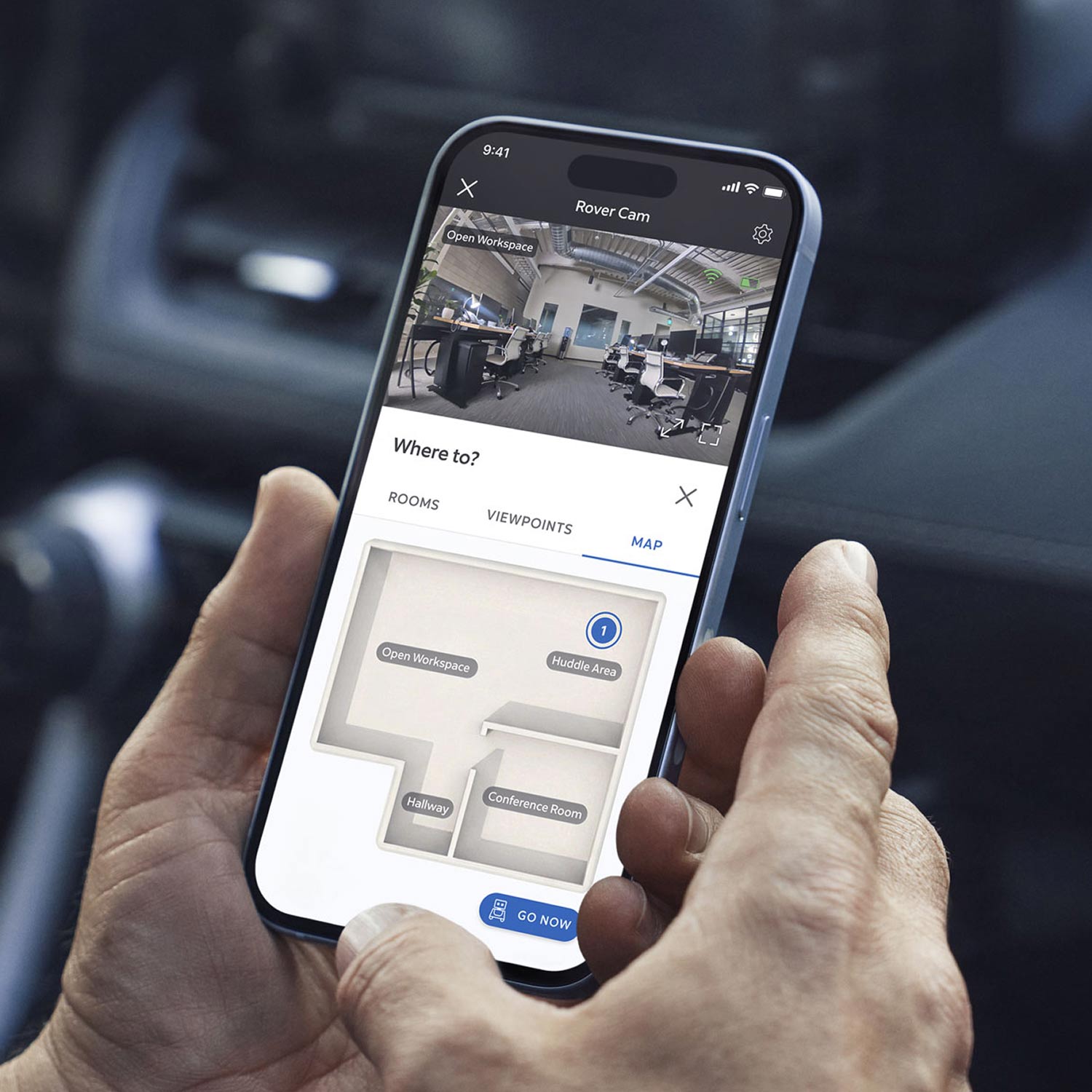
Rover Cam - Hands holding a smartphone showing a “Rover Cam” app with an office feed and a floor map labeled Open Workspace, Huddle Area, and Conference Room.
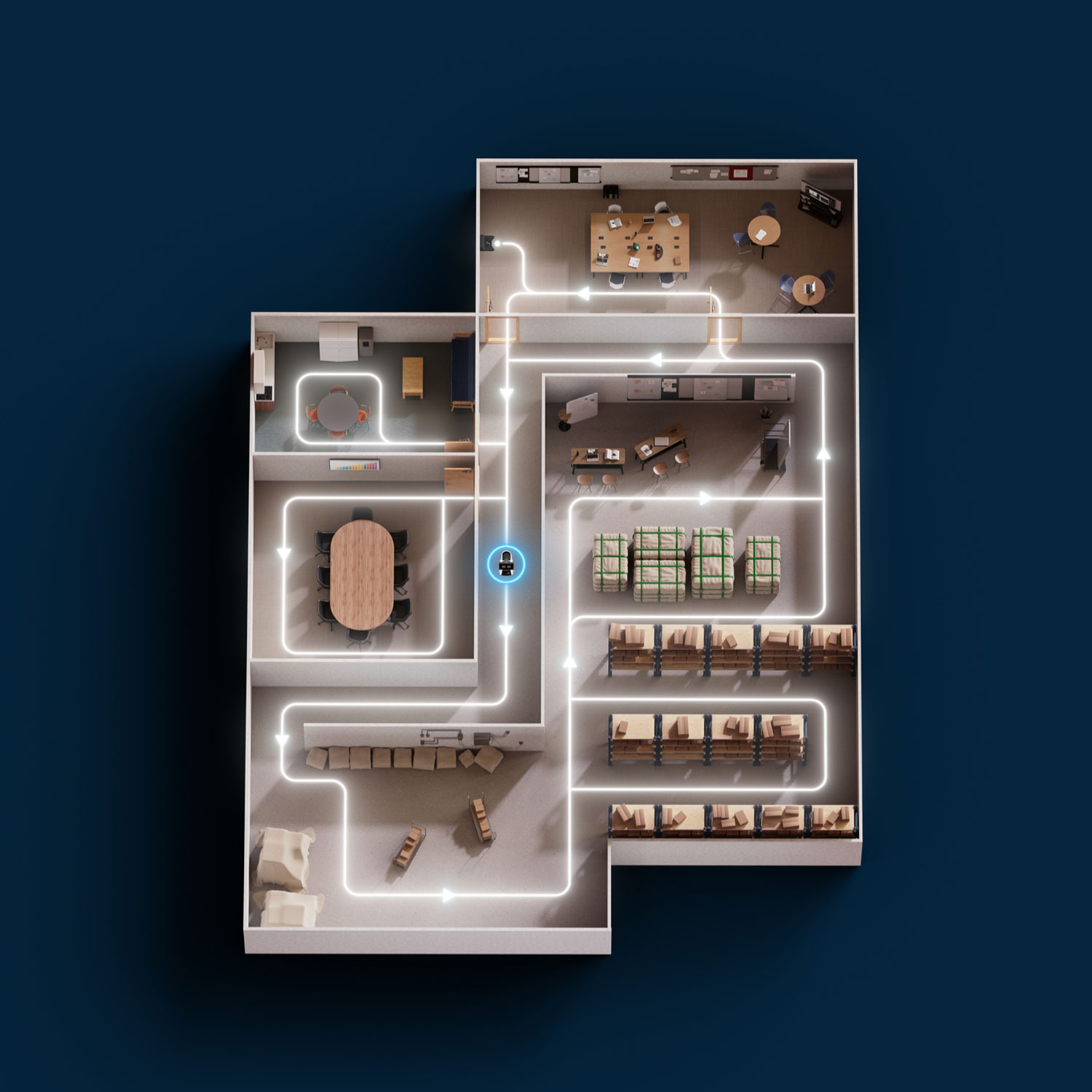
Rover Cam - Floor plan of an office and warehouse with meeting rooms, desks, and storage racks, overlaid with a glowing path showing a patrol route.
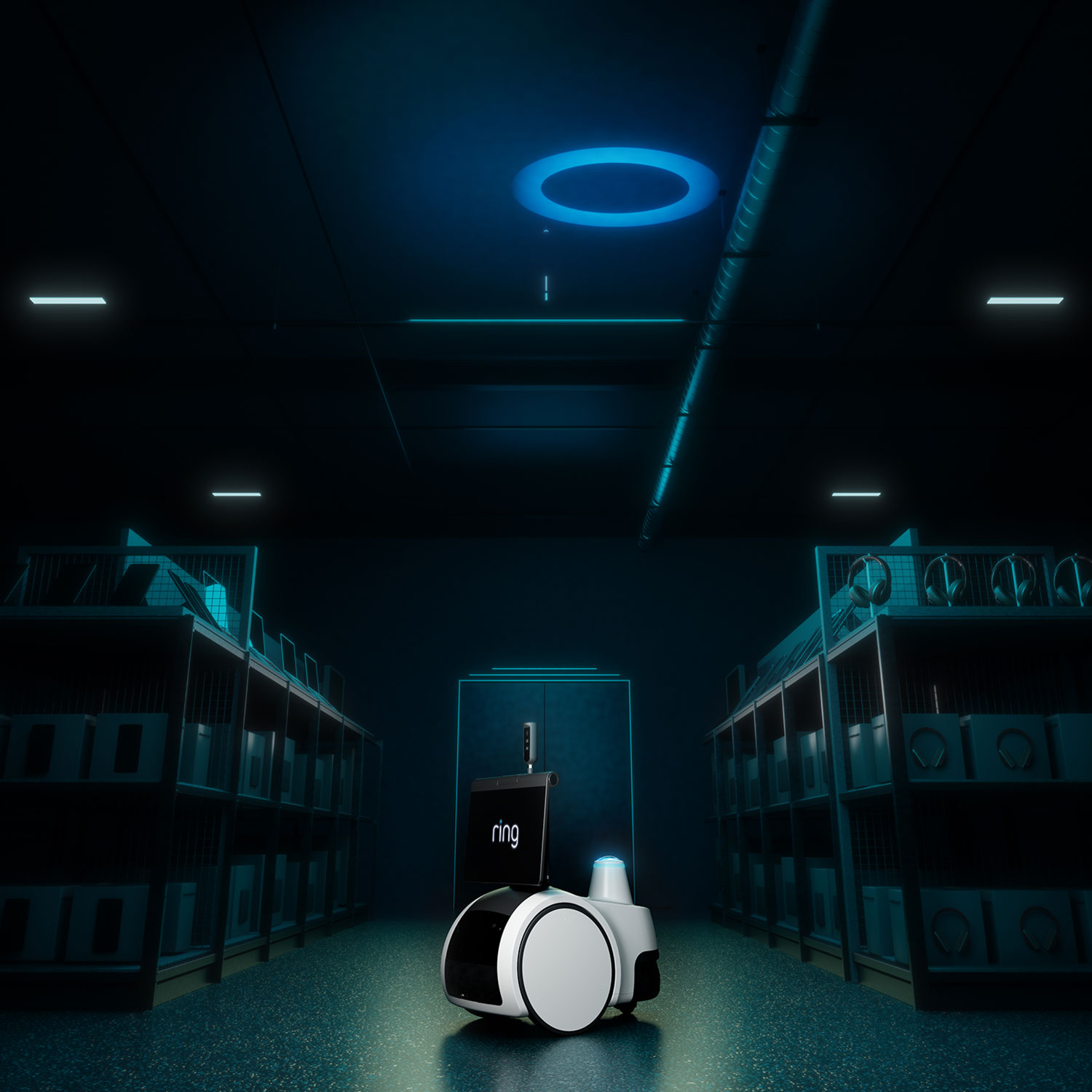
Rover Cam - Small wheeled Ring Rover with a screen labeled “ring” in a dim, blue-lit warehouse aisle between metal shelves.
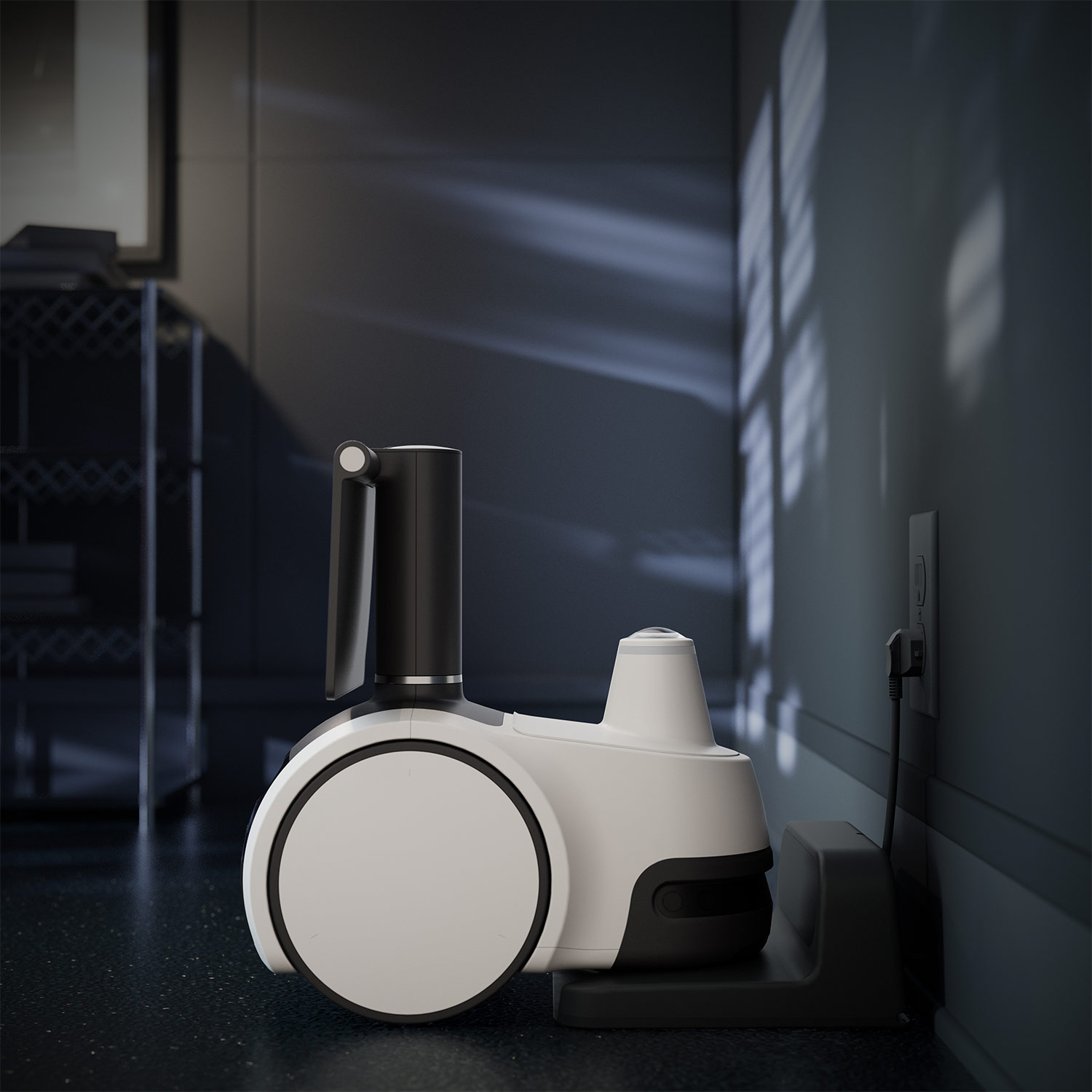
Rover Cam - White wheeled home Ring Rover docked and charging against a dark wall, soft window light casting patterns across the room.
Rover Cam - White wheeled home rover with a screen displaying “Ring,” a small upright camera, and a blue-lit sensor, shown on a white background.
New
Pre-Order

Rover Cam

undefined out of 5 stars

$999.99
Affirm Icon See if you qualify.
Please enter a valid number

Does not ship to Canada.

Show More
Geofencing Icon

Autonomous Mapping

Calendar Icon

Scheduled Patrols2

Panorama Icon

360° Room Scan

Close Icon
Play Icon
Compact wheeled Ring Rover with a screen reading “Live View in progress,” camera mast raised, glowing red light, indoors.

Meet Rover Cam.

Protect your business on the move with a revolutionary security solution. Patrol the floor, send to preset viewpoints, and see what’s going on in real-time.

Ring Rover with a screen reading “Live View in progress…” stands in a dim warehouse aisle lined with shelves and boxes.

On-patrol recording.

Stream live video right in the Ring app so you and your team know what’s going on. Ring Rover Cam records while it’s moving so every event is captured and reviewable.

Top-down office floor plan with meeting rooms, cubicles, storage racks, and a glowing path showing a patrol route through the space.

Autonomous mapping.

Cover up to 5,000 sq ft without needing additional cameras. Rover Cam maps your entire space on its own and patrols receiving areas, aisles, and back sections all autonomously.

Compact white home robot docked and charging against a dark wall, soft window light casting shadows across the room.

Privacy in your control.

Rover Cam is designed with privacy in mind. Light sensors let you know when recording is active and you can turn it off with the push of a button whenever you want. When placed in privacy mode, the camera mast is down and retracted.

Complete control
from the Ring app.

See, hear, and do it all from the palm
of your hand with the free Ring app.

Smartphone lock screen showing 9:41 AM on Monday, June 6, with a Ring alert: “Motion Detected at Front Entrance.”

Real-Time Alerts

Receive real-time alerts sent straight to your phone when motion is detected and more.

Smartphone screen showing a Control Center page with Account Management, Account Verification, and Authorized Client Devices options.

Security & Privacy Control

Control Center allows you to view, control, and customize important security settings.

Smartphone screen showing a neighborhood map with topic tags and a feed post of a happy brown dog with mouth open.

Safety Alerts

Stay connected to your community with real-time crime and safety alerts from your neighbors and local public safety agencies.

See more. Know more. Protect more.

Subscribe to a compatible Ring Protect Plan to rewatch moments you missed, view saved video, and more.

Blue icon of a cloud with a play button and a padlock, symbolizing secure cloud video or media storage on a light gray circle.

Up to 180 Days of Video History

Save, share, and replay recorded videos of every doorbell ring, motion event, and Live View event for up to 180 days.3

Blue shield icon centered within four curved arrows on a light gray circle, suggesting continuous protection or security.

Scheduled Patrols

Set it and forget it. Choose which rooms and viewpoints Rover Cam visits, how often, and when.2

Blue line icon of a customer support headset with microphone on a light gray circular background.

Professional Monitoring

When your Ring system is triggered, our Professional Monitoring team requests the help you need, day or night.4

Tech Specs - Rover Cam

Size and Dimensions

Dimensions

Device: 16.7 in x 9.8 in x 17.3 in (424 mm x 250 mm x 440 mm)
Charger: 11.0 in x 10.4 in x 5.0 in (280 mm x 264 mm x 127 mm)

Weight

Device: 20.6 lbs (9.35 kg)
Charger: 3.9 lbs (1.75 kg)
Light Tower: .98 lb (0.44 kg)

Video

Video

Up to 4K. Video quality may vary based on internet bandwidth, device temperature, and/ or ambient light conditions

Motion Detection

Person Detection

Field of View

152° Diagonal

Audio

Audio

Two-way talk supported

Siren

Remote-activated security siren

Power and Connectivity

Power

Lithium-Ion Rechargeable Battery

Battery Charge Time

Device charges in approximately 45 minutes using the included charger

Internet Requirements

Recommended minimum upload speed of 15 Mbps for optimal performance. Video resolution may vary depending on internet bandwidth.

Connectivity

Dual-band Wi-Fi connection @ 2.4GHz, 5.0GHz

Installation

Estimated Install Time

Physical Installation 5 to 10 minutes

Operating Conditions

Use indoors in dry locations only
Operating Temperature: 32°F to 95°F (0°C to 35°C)
Storage temperature: 14°F to 113°F (−10°C to 45°C)

Setup Requirement

Charger clearance: 1 ft of clearance beside the charger on both sides and 5ft of clear space in front of the charger. Place charger at least 3ft away from a downward staircase.

General

Box Includes

Rover Cam
Light Tower
Charging Station
Power Adapter
USB-C Cable

Warranty

One-year limited warranty

Support

Click here to view more information on the Ring Rover Cam support page.

Use

For indoor use only and single floor spaces. Not suitable for use around children under 3 years of age or small pets.

Security

Software Security Update

Learn more about these software security updates. If you already own this device, visit Software Security Updates in Ring Control Center for information specific to your device.

Frequently Asked Questions

How do I control my Ring Rover Cam?

Everything is controlled from the Ring app. You can send Ring Rover Cam:

  • To a room for a full 360° sweep.
  • To a viewpoint you've saved, so you see exactly the view you want.
  • To a point on the map by tapping a spot on your floor plan.
  • On a patrol based on a schedule and route you set (subscription required).

How does mapping work?

Ring Rover Cam is ready to map right out of the box. It maps your space on its own and notes suggested viewpoints. When mapping is finished, you can label rooms, edit suggested viewpoints, and schedule patrols.

Can I schedule patrols?

Yes. You choose which rooms and viewpoints Ring Rover Cam visits, when, and how often. A compatible Ring subscription is required for scheduled patrols.

Does Ring Rover Cam record all the time?

No. Ring Rover Cam doesn't record video 24/7. It records when it detects people while docked, and anytime it's on the move, including patrols, trips to a viewpoint, room, or point on the map, and Live View.

Can I talk through Ring Rover Cam?

Yes. Live View and Two-Way Talk let you see, hear, and speak to visitors in real time from your phone.

Does it have a siren or deterrent?

Yes. Ring Rover Cam has a siren and an LED light tower with red lights that you can turn on from the Ring app.

Does it have night vision?

Yes. Ring Rover Cam uses infrared night vision to record black-and-white video in low light and darkness.

Can Ring Rover Cam be used outdoors?

No. Ring Rover Cam is designed for dry, indoor spaces only.

Does it need Wi-Fi?

Yes. Ring Rover Cam needs a Wi-Fi connection to map your space and get around. It connects to both 2.4 GHz and 5 GHz networks.

Amazon Customer Reviews

Five-point star symbol for product reviews

global ratings

Reviews with images

See all images

Previous

Customer reviews

Sort by
Filter by

This product has no reviews yet

1Free trial is not applicable for locations with an existing subscription. Your free trial begins as soon as you activate your Ring product.
2Compatible Ring subscription required for scheduled patrols.
3Compatible Ring subscription required. Your Ring motion event videos in the cloud are stored, up to 180 days from recording. Modifying your video storage duration affects only recordings created after the change is applied.
4Compatible Ring subscription is required to enroll in Professional Monitoring. Service available in all 50 U.S. states (territories not included) and in Canada (excluding Quebec). Ring does not own its monitoring center. Smoke and carbon monoxide monitoring is not available for business or commercially zoned addresses. See Ring Alarm licenses at: ring.com/licenses. Additional fees may be required for permits, false alarms, or Alarm Verified Guard Response, depending on your local jurisdiction.

Your Cart ()

Subtotal:
Your cart is empty.

Added to cart

Undo

Close Icon

Your Cart

Close Icon
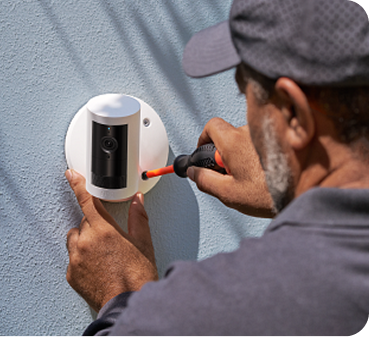
Professional Installation Icon
Professional Installation
Starts at $129.99 per device (billed separately). Book after checkout or use the link in your confirmation email. You’ll pay when you schedule.

Your Cart

Close Icon
Empty cart icon
Your cart is empty
Explore the latest deals and offers.
Close Icon